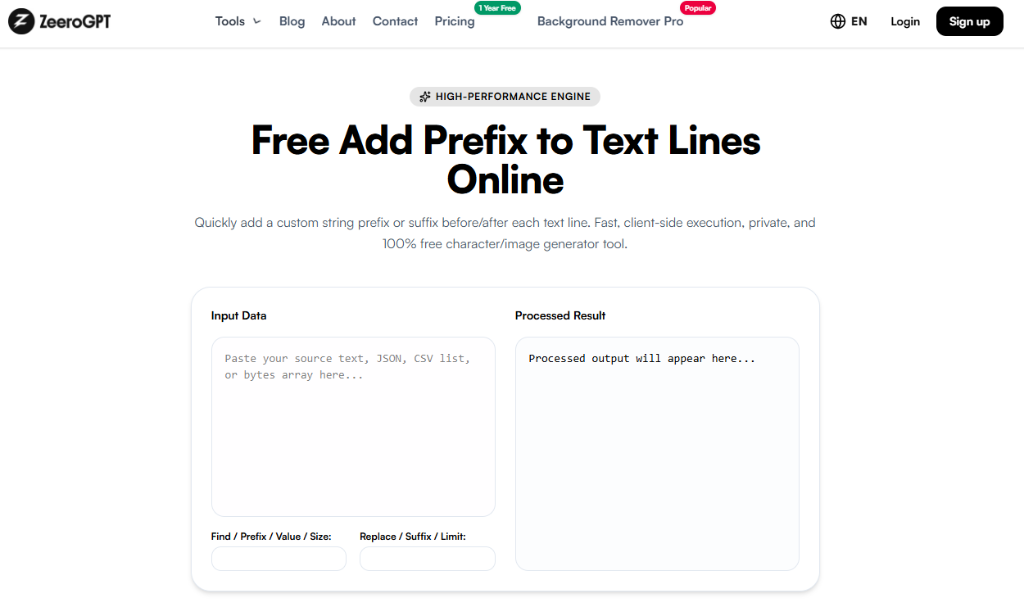
Quickly add a custom string prefix or suffix before/after each text line. Fast, client-side execution, private, and 100% free.
Lines: 0Words: 0Characters: 0
Processed output will appear here...
Lines: 0Words: 0Characters: 0
Prefix & Suffix Configuration
Add Prefix to Text – Add a Prefix to Every Line Instantly
Working with long lists of text often requires adding the same word, symbol, or character to the beginning of every line. Whether you're formatting code, creating HTML lists, preparing SQL queries, or organizing data, doing this manually can take a lot of time.
The Zeerogpt Add Prefix to Text tool makes the process simple. It lets you add a custom prefix to every line of text instantly, saving time and ensuring consistent formatting. Whether you're a developer, writer, student, or data analyst, this free online tool helps streamline repetitive text-editing tasks.
What Is an Add Prefix to Text Tool?
An Add Prefix to Text tool automatically inserts specified text at the beginning of each line in a block of text. Instead of editing every line individually, you simply enter your desired prefix, and the tool applies it to all lines at once. This is especially useful for batch formatting, coding, and data preparation.
Example Input: Apple Banana Orange
Prefix: -
Example Output: - Apple - Banana - Orange
Why Use an Add Prefix Tool?
Adding prefixes manually becomes tedious when working with dozens or hundreds of lines. A prefix tool helps you:
Save time and eliminate repetitive editing
Format text consistently across massive documents
Prepare raw datasets for programming and database ingestion
Create markdown or HTML lists quickly
Reduce manual copy-paste errors and improve general productivity
Features of the Zeerogpt Add Prefix to Text Tool
Instant Prefix Addition
Add a custom prefix or suffix to every line within seconds.
Fast Browser Processing
Handle small lists and large documents efficiently right inside browser memory.
Easy-to-Use Interface
Paste your text, enter the prefix, and generate the output with one click.
No Account Required
Access the tool anytime without signup, completely free and browser-based.
How to Use the Add Prefix to Text Tool
1
Open the Tool: Open the Zeerogpt Add Prefix to Text tool page.
2
Paste Text: Paste or type your text into the input box.
3
Enter Config: Type in the custom prefix (or suffix) string.
4
Add Prefix: View the results automatically updated in real-time or copy the final result.
Common Formatting Examples
Create a Bullet List
Input: Milk, Bread, Butter
Prefix: -
Output: - Milk - Bread - Butter
Add HTML Tags
Input: Home, About, Contact
Prefix: <li>
Output: <li>Home <li>About <li>Contact
Add Line Comments
Input: Var A, Var B, Var C
Prefix: //
Output: // Var A // Var B // Var C
Benefits of Using the Tool
Saves Time: Apply the same prefix to hundreds of lines in seconds.
Improves Consistency: Ensures every single line follows the exact same pattern.
Reduces Errors: Avoid missing lines or formatting bugs during manual edits.
Supports Bulk Editing: Perfect for editing huge datasets, spreadsheets, or logs.
Common Use Cases
Programming & Code Comments
Add syntax comments, quotes, or indentation symbols to multiple lines of code at once.
HTML Development
Quickly build structured HTML tags and wrap raw copy into tags or markdown headers.
SQL Queries
Add quote symbols and prefixes to database values when writing complex queries.
Data Preparation
Prepare logs, CSV dumps, and raw list data for software ingestion.
Best Practices
Review your input list formatting before executing prefix processes.
Use the "Ignore Empty Lines" option to prevent adding headers or list tags to blank spaces.
Test formatting on a few lines before pasting extremely large files.
Verify special characters (like quotes or brackets) are rendered correctly in the output preview.
The Zeerogpt Add Prefix to Text tool is designed for speed, simplicity, and accuracy. It processes everything safely inside your browser, which means no installation, registration, or software downloads are ever required.

 ZeeroGPT