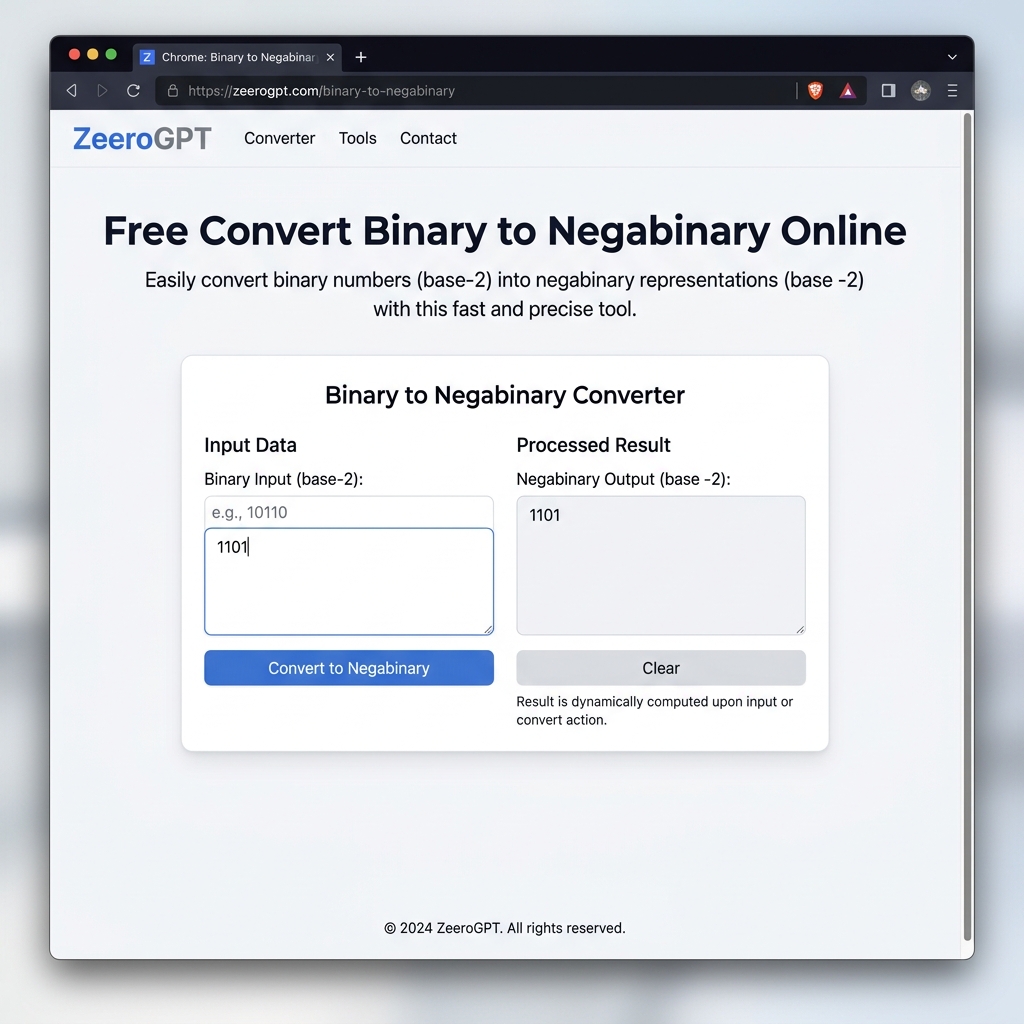
Quickly convert standard binary (base-2) values to negabinary (base -2) values. Fast, client-side execution, private, and 100% free character/image generator tool.
Processed output will appear here...
Binary to Negabinary Converter: Convert Binary Numbers into Base -2 Instantly
Binary numbers are the foundation of modern computing, but did you know there's also a negative binary system known as Negabinary (Base -2)? Unlike traditional binary, negabinary represents both positive and negative integers without using a minus sign.
If you're learning computer science, exploring number systems, or working on mathematical algorithms, converting binary to negabinary can be challenging manually. That's where the ZeeroGPT Binary to Negabinary Converter makes the process fast, accurate, and effortless.
Whether you're a student, programmer, educator, or researcher, this free online tool helps you convert standard binary values into negabinary within seconds. Negabinary uses base −2, allowing every integer to be represented uniquely without a separate negative sign.
What Is Negabinary?
Negabinary is a numeral system with a base of -2 instead of the standard base 2.
Unlike conventional binary where place values are:
124816
Negabinary uses alternating powers of -2:
1-24-816-3264
Because positive and negative place values alternate, negabinary can naturally represent negative numbers without adding a minus sign.
Why Convert Binary to Negabinary?
There are many situations where converting binary into negabinary is useful:
Educational Purposes: Students studying number systems can better understand alternative numeral representations and negative bases.
Computer Science Research: Negabinary is explored in theoretical computing, system architecture, and advanced algorithm design.
Mathematical Applications: Negative base arithmetic has unique properties useful in certain mathematical models and calculations.
Programming Challenges: Many coding competitions and interviews include binary and negabinary conversion problems.
Learning Alternative Number Systems: Understanding negabinary expands your knowledge beyond standard decimal, hexadecimal, and binary systems.
Features of ZeeroGPT Binary to Negabinary Converter
Our online converter is designed for simplicity, security, and high performance:
⚡ Instant ConversionConvert binary values to base -2 representation immediately as you type.
🎁 100% FreeNo subscriptions, hidden costs, caps, or signup limits.
🔒 Browser-BasedExecution happens entirely client-side. Your inputs are never sent to any server.
📈 Accurate ResultsReliable conversions for both small integers and extremely large binary sequences.
📱 Mobile FriendlyBeautiful, responsive layout that works flawlessly on desktop, tablets, and mobile.
💡 Beginner FriendlyA clean and intuitive layout that requires zero technical setup or knowledge.
How to Convert Binary to Negabinary
Using our free online converter is extremely simple:
Open the Binary to Negabinary Converter page.
Enter or paste your binary number (e.g., 1010) in the **Input Data** text field.
The tool automatically performs client-side conversion as you type.
Instantly view the equivalent negabinary value in the **Processed Result** area.
Click the **Copy** button to save the output directly to your clipboard.
Binary to Negabinary Conversion Examples
Here is a reference table showing standard binary inputs, their decimal values, and the calculated negabinary equivalents:
Binary (Base 2)
Decimal (Base 10)
Negabinary (Base -2)
0
0
0
1
1
1
10
2
110
11
3
111
101
5
101
1010
10
11110
Advantages of Using an Online Binary to Negabinary Converter
Manual conversion requires several complex arithmetic division steps with negative numbers and can easily lead to human error. Using ZeeroGPT helps you:
Save valuable time during study or programming.
Avoid calculation errors associated with remainder tracking.
Learn base -2 positional representation through instant examples.
Verify homework problems and school assignments quickly.
Test and validate programming algorithms.
Improve overall academic and development productivity.
Manual Conversion Challenges
When performing manual base conversions from positive binary to negative base -2, you typically have to:
Convert the binary string to a base-10 decimal number first.
Repeatedly divide the decimal number by -2.
Ensure you handle negative remainders correctly by adjusting the quotient.
Manually verify each positional bit weight to double-check accuracy.
Even experienced programmers can make mistakes with signs and remainders. Our automated online converter eliminates all these manual challenges.
Who Should Use This Tool?
The Binary to Negabinary Converter is useful for:
Students: Reviewing computer organization, discrete mathematics, or digital systems homework.
Teachers: Creating exercises, exam questions, and answer keys.
Software Developers: Coding conversion functions, building math libraries, or working on competitive programming.
Computer Engineers: Modeling alternative arithmetic logic units (ALUs).
Mathematics Researchers: Exploring properties of negative base positional representations.
Data Scientists: Converting values in custom arrays and binary structures.
Common Applications of Negabinary
Negabinary is used in several specialized domains:
Computer Science: Studying non-standard positional numeral systems and algorithmic optimization.
Mathematics: Conducting research on complex number representations and negative base number theory.
Digital Logic: Researching logic gate networks that perform signed operations without sign bits.
Education: Teaching base conversions, remainders, and computer arithmetic in colleges.
Why Choose ZeeroGPT?
Thousands of users rely on ZeeroGPT for clean, high-performance web utilities. Benefits include:
Super-fast processing without network lag.
Fully client-side execution keeping data private.
No signups, subscriptions, or hidden charges.
Responsive layouts that adapt to all screen sizes.
Highly accurate calculations verified by test suites.
Tips for Accurate Conversion
Ensure you enter only valid binary characters (0 and 1).
Strip out accidental spaces or non-numeric characters from the input field.
Double-check long binary strings for missing digits.
Use copy-paste to prevent manual transcript errors.
Verify complex manual calculations with the tool side-by-side.

 ZeeroGPT