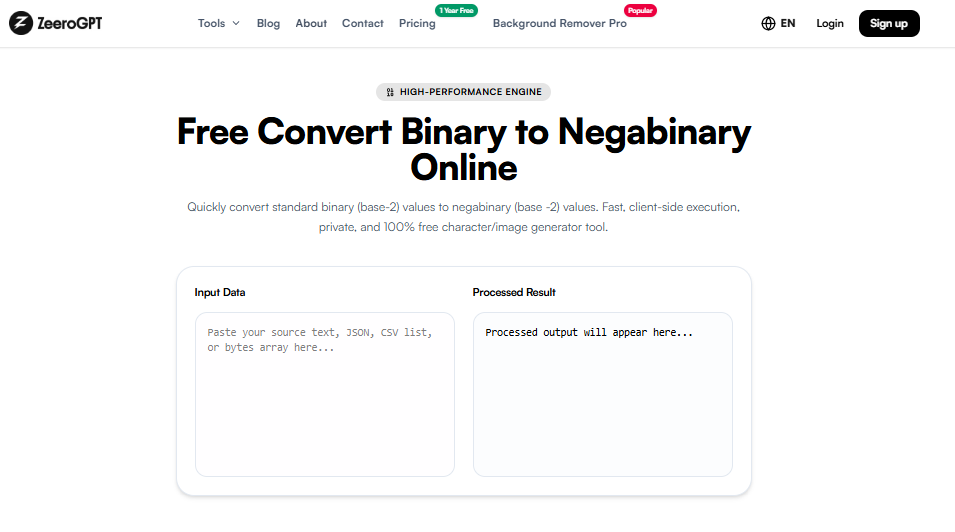
Quickly replace CSV delimeters (e.g. comma to semicolon or tab). Fast, client-side execution, private, and 100% free character/image generator tool.
Processed output will appear here...
Change CSV Delimiter Online: Convert CSV Separators Easily with ZeeroGPT
CSV files are widely used for storing and transferring structured data between applications, spreadsheets, databases, and software platforms. However, different tools often require different separators or delimiters to correctly read CSV files. While commas are commonly used, some systems work better with semicolons, tabs, pipes, or other characters.
The ZeeroGPT Change CSV Delimiter tool helps you quickly change the delimiter of your CSV file without manually editing data. Convert your CSV separator in just a few clicks while keeping your rows and columns properly organized.
What Is a CSV Delimiter?
A CSV delimiter is a character used to separate different fields or columns inside a CSV file. The most common delimiter is a comma (,), but CSV files can also use other separators such as:
Comma (,)
Semicolon (;)
Tab
Pipe (|)
Custom characters
Changing delimiters allows CSV files to work correctly with different software and platforms.
Why Change a CSV Delimiter?
Different applications and regions may use different CSV formats. A file created in one system may not open correctly in another because the expected separator is different. Common reasons to change CSV delimiters include:
Better Software Compatibility: Some applications require a specific delimiter format before importing data.
Database Import Requirements: Databases may expect CSV files with a particular separator.
Spreadsheet Compatibility: Programs like spreadsheet applications may interpret CSV files differently depending on regional settings.
Handling Data With Commas: If your data contains many commas inside text fields, switching to another delimiter can make the file easier to manage.
Features of ZeeroGPT Change CSV Delimiter Tool
🔄 Convert Between Different SeparatorsChange your CSV file from comma to semicolon, comma to tab, semicolon to comma, pipe to comma, or custom formats.
💻 Easy Online ProcessingNo complex software or coding knowledge is required.
📊 Maintains Data StructureThe tool changes separators while keeping rows and columns properly arranged.
⚡ Fast ConversionConvert CSV files within seconds directly in your browser.
🛡️ Secure & PrivateYour files are processed locally inside your browser memory without being uploaded to any server.
📱 Multi-Device CompatibleWorks smoothly from desktops, tablets, or smartphones.
How to Change CSV Delimiter Using ZeeroGPT
Changing your CSV separator is simple:
Open the Tool: Visit the ZeeroGPT CSV delimiter converter.
Upload or Paste Data: Upload your existing CSV file or enter your CSV data into the input field.
Select Current Delimiter: Choose the delimiter currently used in your file (Comma, Semicolon, Tab, Pipe).
Choose New Delimiter: Select the separator you want to convert your CSV file into.
Convert Your File: Click the convert button and generate your updated CSV file.
Download or Copy: Save the converted CSV file and use it in your preferred application.
The data remains the same, but the separator changes according to your requirement.
Benefits of Using an Online CSV Delimiter Converter
Manually replacing separators in a text editor can damage CSV files, especially when your data contains commas or special characters inside fields. A proper CSV delimiter converter understands the file structure and changes separators safely. Using ZeeroGPT helps you:
Save time and avoid formatting mistakes.
Prepare files for different database and API platforms.
Improve compatibility between spreadsheet applications.
Handle large CSV files easily and reduce manual editing work.
Common Uses of CSV Delimiter Conversion
Data Analysis: Data analysts convert CSV formats before importing datasets into analytics tools.
Database Management: Developers change delimiters when preparing files for database imports.
Business Reports: Companies exchange CSV reports between different software systems.
Software Development: Developers use delimiter conversion when working with APIs, applications, and data pipelines.
Spreadsheet Management: Users prepare CSV files that open correctly in different spreadsheet programs.
Who Can Use the Change CSV Delimiter Tool?
This tool is useful for developers, data analysts, students, researchers, database administrators, business professionals, spreadsheet users, and anyone working with CSV files.
Why Choose ZeeroGPT Change CSV Delimiter Tool?
ZeeroGPT provides simple and reliable online tools designed to make everyday digital tasks easier. Advantages include:
Quick CSV conversion directly in your browser.
Simple interface with no technical knowledge required.
Accurate delimiter changes without data loss.
Easy accessibility on any device with an internet connection.
Tips for Working With CSV Delimiters
Check the existing delimiter before converting.
Avoid manually replacing characters in large CSV files.
Keep a backup of important files.
Use the correct delimiter required by your target application.
Verify the converted file structure before importing it.
Frequently Asked Questions (FAQ)
Final Thoughts
CSV delimiter problems can make data transfer difficult between different applications. The ZeeroGPT Change CSV Delimiter tool provides a quick and reliable solution for converting CSV separators without complicated manual editing. Whether you need to change commas into semicolons, tabs into pipes, or prepare CSV files for a specific platform, this tool helps you format your data correctly in just a few steps.

 ZeeroGPT