
 ZeeroGPT
Loading...
ZeeroGPTLoading...
Convert text inputs between UPPERCASE, lowercase, Title Case, and Sentence Case. Fast, client-side execution, private, and 100% free character/image generator tool.
Have you ever accidentally typed an entire paragraph with Caps Lock turned on? Or copied text from another source only to realize the capitalization is completely inconsistent? Fixing it manually can be frustrating, especially when you're working with long documents.
The ZeeroGPT Case Converter makes text formatting quick and effortless. With just one click, you can convert your text into uppercase, lowercase, sentence case, title case, or other popular text formats without changing the content itself.
Whether you're a student, writer, developer, marketer, or business professional, this simple tool helps you save time and keep your text professionally formatted.
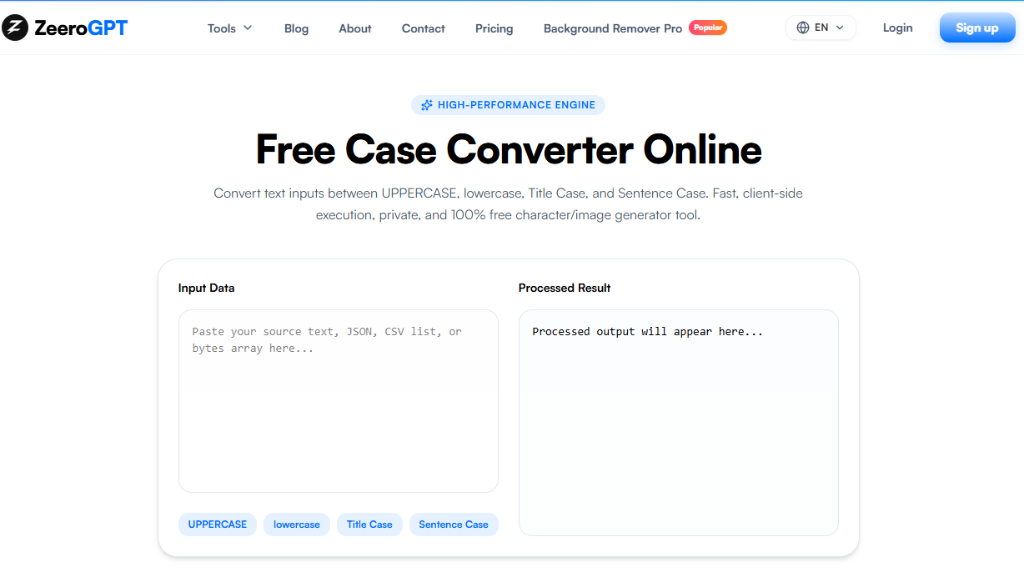
A Case Converter is an online text formatting tool that changes the capitalization style of your text instantly. Instead of editing every word manually, you simply paste your content, choose the format you need, and the tool converts it in seconds.
Common text formats include:
The original words remain exactly the same—only the letter casing changes.
Manually changing text formatting takes time, especially when working with long documents. A Case Converter helps you:
Whether you're writing an email or formatting an article, the tool makes the process much easier.
The ZeeroGPT Case Converter is designed to be simple, fast, and easy to use:
Using the tool only takes a few seconds:
Uppercase
Converts every letter into capital letters. (e.g. THIS IS AN EXAMPLE). Useful for headings, labels, notices, and short announcements.
Lowercase
Converts every letter into small letters. (e.g. this is an example). Useful for URLs, file names, data formatting, and programming.
Sentence Case
Capitalizes the first letter of each sentence while keeping the remaining words in lowercase. (e.g. This is an example sentence.). Perfect for emails, articles, reports, and blogs.
Title Case
Capitalizes the important words in a title. (e.g. How to Learn Web Development Faster). Ideal for blog titles, headlines, books, and presentations.
Capitalized Case
Capitalizes the first letter of every word. (e.g. Every Word Starts With A Capital Letter). Useful for names, headings, and invitations.
Toggle Case
Changes uppercase letters to lowercase and lowercase letters to uppercase. (e.g. hELLO wORLD). Useful for correcting accidental Caps Lock typing.
Alternating Case
Alternates uppercase and lowercase letters. (e.g. HeLlO WoRlD). Commonly used for creative text and social media posts.
The tool is useful for many different users:
Many modern case converters also support formats such as camelCase, snake_case, PascalCase, and kebab-case for developers, while offering standard writing formats like sentence case and title case for general users.
| Feature | Case Converter | Manual Editing |
|---|---|---|
| Speed | Converts text instantly | Takes much longer |
| Scale | Handles large text and long files easily | Very time-consuming for long documents |
| Options | Multiple formatting options (7+ styles) | One change at a time |
| Accuracy | Reduces formatting errors to zero | Higher chance of mistakes and typos |
| Productivity | Improves productivity and workflow | Requires repetitive, exhausting editing |
ZeeroGPT provides fast and reliable text formatting tools that help users work more efficiently. With the Case Converter, you can:
Whether you're editing a single sentence or an entire document, ZeeroGPT makes text formatting simple.
Text formatting shouldn't slow you down. The ZeeroGPT Case Converter helps you transform text into the correct capitalization style in just a few clicks, making your writing cleaner, more professional, and easier to read.
Instead of spending valuable time fixing capitalization by hand, let the tool do the work for you. It's a quick, reliable solution for students, professionals, writers, marketers, and developers who want perfectly formatted text every time.