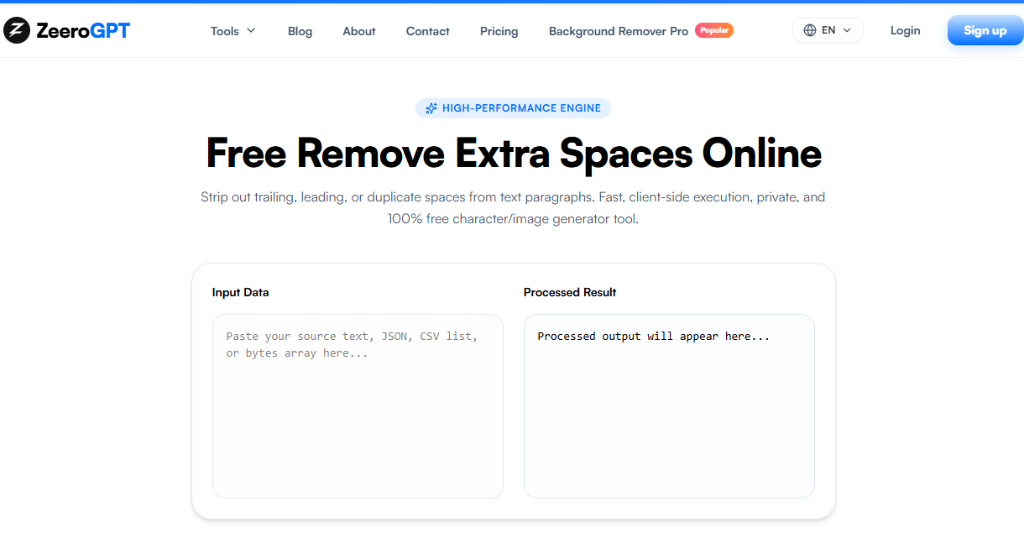
Strip out trailing, leading, or duplicate spaces from text paragraphs. Fast, client-side execution, private, and 100% free character/image generator tool.
Processed output will appear here...
Remove Extra Spaces: Clean Up Your Text Instantly Online
Extra spaces can make even the best-written content look messy and unprofessional. Whether you've copied text from a PDF, website, email, or Word document, unwanted spaces, tabs, and blank lines often appear without you noticing.
The ZeeroGPT Remove Extra Spaces tool helps you clean and format your text in seconds. Simply paste your content, click a button, and the tool removes unnecessary spaces while keeping your text neat, readable, and ready to use.
Whether you're a student, writer, editor, marketer, or developer, this tool helps you save time and improve the quality of your documents.
What Is a Remove Extra Spaces Tool?
A Remove Extra Spaces tool automatically detects and removes unnecessary whitespace from your text. Instead of manually deleting extra spaces one by one, it cleans your content instantly by:
Removing multiple consecutive spaces
Trimming leading and trailing spaces
Cleaning unnecessary tabs
Reducing extra blank lines (when supported)
Keeping proper spacing between words
It's especially useful for cleaning text copied from PDFs, websites, or formatted documents where hidden whitespace often appears.
Why Should You Remove Extra Spaces?
Poor formatting affects readability and can make documents look unprofessional. Cleaning extra spaces helps you:
Improve readability
Create cleaner documents
Save editing time
Standardize formatting
Prepare text for websites
Clean copied content
Improve document consistency
Small formatting improvements can make a big difference in how your content is perceived.
Why Choose the ZeeroGPT Remove Extra Spaces Tool?
The ZeeroGPT Remove Extra Spaces tool is designed to make text cleanup fast and effortless:
Instant Results: Remove unnecessary spaces with a single click.
Fast and Simple: No complicated settings—just paste your text and clean it instantly.
Works with All Types of Text: Perfect for articles, blog posts, essays, reports, emails, product descriptions, research papers, social media posts, and office documents.
Beginner Friendly: No technical knowledge is required.
Time-Saving: Clean hundreds or even thousands of words in seconds.
How to Use the Remove Extra Spaces Tool
Using the tool is easy:
Step 1: Open the ZeeroGPT Remove Extra Spaces tool.
Step 2: Paste your text into the editor (e.g., "This is an example sentence.").
Step 3: Click Remove Extra Spaces.
Step 4: The tool instantly cleans your text.
Step 5: Copy the cleaned text and use it wherever you need.
Whitespace Cleanup Examples
Example 1: Word Spacing
Before:
Welcome to ZeeroGPT.
After:
Welcome to ZeeroGPT.
Example 2: Sentence Spacing
Before:
This paragraph has unnecessary spaces.
After:
This paragraph has unnecessary spaces.
Common Uses of the Remove Extra Spaces Tool
This tool is useful in many everyday situations:
Cleaning PDF Text: Remove irregular spaces that appear after copying text from PDF files.
Formatting Blog Posts: Prepare articles before publishing them online.
Editing Emails: Make business emails look clean and professional.
Cleaning Research Papers: Remove formatting issues before submission.
Preparing Website Content: Ensure consistent spacing across web pages.
Organizing Notes: Clean lecture notes, meeting notes, and study materials.
Who Can Use This Tool?
The ZeeroGPT Remove Extra Spaces tool is suitable for everyone who works with text:
Students: Format assignments, essays, and project reports.
Writers: Clean manuscripts, articles, and books.
Bloggers: Prepare polished blog posts for publication.
Editors: Speed up document formatting.
Digital Marketers: Clean landing pages, advertisements, and email campaigns.
Developers: Format copied documentation before using it in projects.
Business Professionals: Prepare reports, proposals, and presentations with consistent formatting.
Benefits of Using the Remove Extra Spaces Tool
Save Time: Clean long documents in just a few seconds.
Improve Readability: Proper spacing makes text easier to read.
Professional Formatting: Present polished, well-organized documents.
Better Productivity: Spend less time fixing formatting problems.
Easy Copy and Paste: Clean text is ready to use immediately.
Many modern whitespace cleaners can also normalize tabs, trim line endings, and reduce unnecessary blank lines while preserving your document's overall structure.
Tips for Better Results
Paste the Original Text: For the best cleanup, paste the unedited version of your content.
Review the Final Output: Check names, lists, poetry, or intentionally formatted text to ensure the spacing still matches your intended layout.
Preserve Important Paragraphs: If your document relies on paragraph spacing, verify that the cleaned version still looks the way you want.
Avoid Using It on Code: Programming languages like Python and YAML depend on indentation. Removing whitespace from source code may change how it works, so use the tool primarily for plain text.
Remove Extra Spaces Tool vs Manual Editing
Feature/Action
Remove Extra Spaces Tool
Manual Editing
Speed
Cleans text instantly
Can take a long time
Multiple Spaces
Removes multiple spaces automatically
Requires manual corrections
Consistency
Improves formatting consistency
Easy to miss hidden spaces
Scale
Works with large documents
Slow for lengthy files
Effort
Saves time and effort
Repetitive editing
Using an automated tool lets you focus on writing instead of formatting.
Why Choose ZeeroGPT?
ZeeroGPT offers a collection of easy-to-use text utilities that simplify everyday editing tasks. With the Remove Extra Spaces tool, you can:
Remove unnecessary spaces instantly
Clean copied text from PDFs and websites
Improve document readability
Save valuable editing time
Format content for professional use
Copy clean text with one click
Whether you're editing a blog, preparing a report, or formatting website content, ZeeroGPT helps you produce cleaner and more polished text.
Final Thoughts
Extra spaces may seem insignificant, but they can affect the appearance, readability, and professionalism of your writing. The ZeeroGPT Remove Extra Spaces tool gives you a quick and reliable way to clean text without manual editing.
Instead of searching for hidden spaces one by one, simply paste your content, clean it instantly, and continue with your work. It's an essential productivity tool for students, professionals, writers, marketers, and anyone who works with text regularly.

 ZeeroGPT